Elite-Series-2-White
Xbox Elite Series 2 — White (Core) Skin
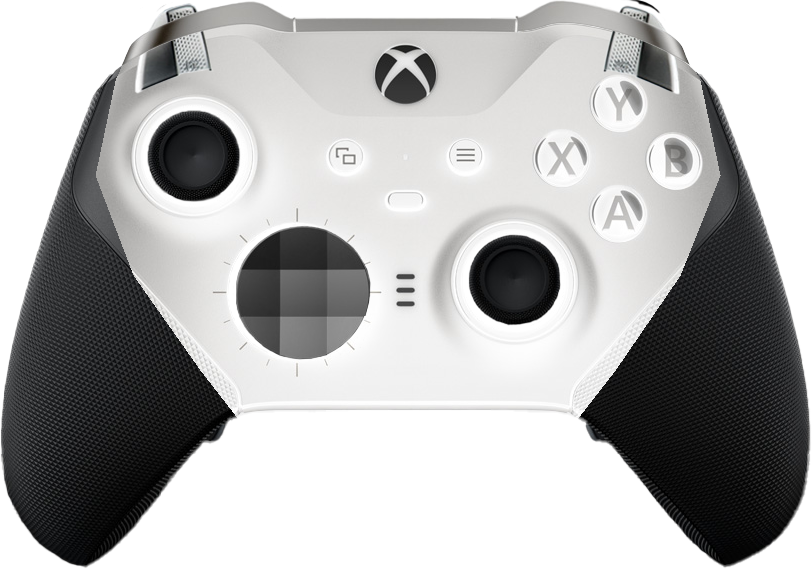
A white recolor of Cinzya/xbox-elite2-skin styled to match the Xbox Elite Series 2 Core (White) controller for use with https://gamepadviewer.com.
Preview
About
This skin renders a white Elite Series 2 Core controller on screen and reflects live input from a connected gamepad — sticks tilt, triggers/bumpers compress, face buttons and d-pad highlight when pressed. All buttons are visible at rest; press feedback is an overlay rather than a hide/show.
The visual base is Cinzya’s original black-Elite skin; this fork swaps the body and button colors to white while leaving the diamond-textured grips black, matching the real Core controller’s two-tone look.
How to use
On gamepadviewer.com, paste this into the custom CSS field on the URL-generation dialog:
https://brendanwelsh.github.io/Elite-Series-2-White/elite2.css
How the recolor works
The original skin assets are recolored by scripts/recolor-white.ps1 (PowerShell + System.Drawing, no dependencies):
- Inverted to white:
A/B/X/Y,Start/Select, bothBumpers, bothTriggers. - Untouched:
Stick Left/Right(black-topped sticks already match the Core),dpad(already grayscale), allF-*fightstick assets. - Polygon-masked invert for
base.pngandbase-disconnect.png: the controller body region is inverted (black → white), while the diamond-textured grip area is left as the original black.
The polygon defining the white body lives at the top of recolor-white.ps1 — adjust the vertices and re-run if you want a different grip/body split.
Regenerate
powershell.exe -ExecutionPolicy Bypass -File scripts/recolor-white.ps1
powershell.exe -ExecutionPolicy Bypass -File scripts/build-preview.ps1
Credit
- Original skin: Cinzya/xbox-elite2-skin
- Underlying gamepad viewer: https://gamepadviewer.com (mrmcpowned)